


Understanding the Software Deployment Process Used by Modern Technology Companies
Every day, millions of users receive software updates on mobile applications, websites, operating systems, cloud platforms, and enterprise software products. Whether it’s a new WhatsApp feature, a Google Chrome security patch, a Windows update, or a new Amazon service enhancement, these updates go through a carefully planned deployment process before reaching users.
Large technology companies cannot simply write code and immediately release it to millions of users. Software updates must be tested, reviewed, monitored, and deployed gradually to ensure reliability, security, and performance.
Understanding how software updates are released is important for students learning software engineering, DevOps, cloud computing, web development, mobile app development, and system design.
Why Software Updates Are Important
Software updates help organizations:
- Fix bugs
- Improve security
- Add new features
- Improve performance
- Enhance user experience
- Maintain system stability
Without regular updates, software can become outdated, insecure, and unreliable.
The Software Development Lifecycle
Before an update reaches users, it usually follows a structured Software Development Lifecycle (SDLC).
Requirement Gathering
Teams identify:
- New features
- Customer requests
- Security improvements
- Performance enhancements
Planning
Project managers and technical teams define:
- Scope
- Timeline
- Resources
- Deployment strategy
Development
Software engineers write and modify code.
Popular technologies include:
- Java
- Python
- C#
- JavaScript
- ReactJS
- Node.js
- Spring Boot
Code Review
Senior developers review code to ensure:
- Quality
- Security
- Maintainability
- Performance
Testing
Testing teams verify software functionality before release.
Types of Testing Performed
Unit Testing
Tests individual functions and modules.
Integration Testing
Verifies communication between components.
System Testing
Tests the complete application.
Security Testing
Identifies vulnerabilities.
Performance Testing
Evaluates scalability and speed.
User Acceptance Testing (UAT)
Validates business requirements.
Version Control Systems
Large companies use version control platforms to manage code changes.
Popular tools include:
- Git
- GitHub
- GitLab
- Bitbucket
Version control allows teams to collaborate efficiently while maintaining code history.
Continuous Integration (CI)
Continuous Integration automatically builds and tests code whenever changes are made.
Benefits include:
- Faster feedback
- Reduced bugs
- Improved collaboration
Popular CI Tools:
- Jenkins
- GitHub Actions
- GitLab CI/CD
- Azure DevOps
Continuous Deployment (CD)
Continuous Deployment automates software delivery after successful testing.
Benefits:
- Faster releases
- Reduced manual effort
- Consistent deployment processes
Staging Environment
Before production deployment, updates are tested in staging environments.
A staging environment closely resembles the production system and helps teams identify issues before public release.
Deployment Strategies Used by Big Companies
Blue-Green Deployment
Two identical environments exist:
- Blue Environment (Current)
- Green Environment (New Version)
Traffic is switched after successful testing.
Benefits:
- Minimal downtime
- Easy rollback
Canary Deployment
Updates are released to a small group of users first.
Benefits:
- Reduced risk
- Early issue detection
Companies like Google and Netflix commonly use similar strategies.
Rolling Deployment
Updates are deployed gradually across servers.
Benefits:
- Improved stability
- Reduced service interruption
Feature Flags
Features can be enabled or disabled without redeploying the application.
Benefits:
- Faster experimentation
- Controlled rollouts
Monitoring After Deployment
Deployment does not end after release.
Teams continuously monitor:
- Performance
- Errors
- Server health
- User activity
- Security events
Popular Monitoring Tools:
- Prometheus
- Grafana
- Datadog
- New Relic
Handling Deployment Failures
Sometimes updates cause unexpected issues.
Large organizations prepare rollback strategies to restore previous versions quickly.
Rollback mechanisms help:
- Minimize downtime
- Protect user experience
- Reduce business impact
DevOps and Modern Software Deployment
DevOps combines software development and operations teams.
DevOps focuses on:
- Automation
- Monitoring
- Continuous Integration
- Continuous Deployment
- Collaboration
Popular DevOps Tools:
- Docker
- Kubernetes
- Jenkins
- Terraform
- GitHub Actions
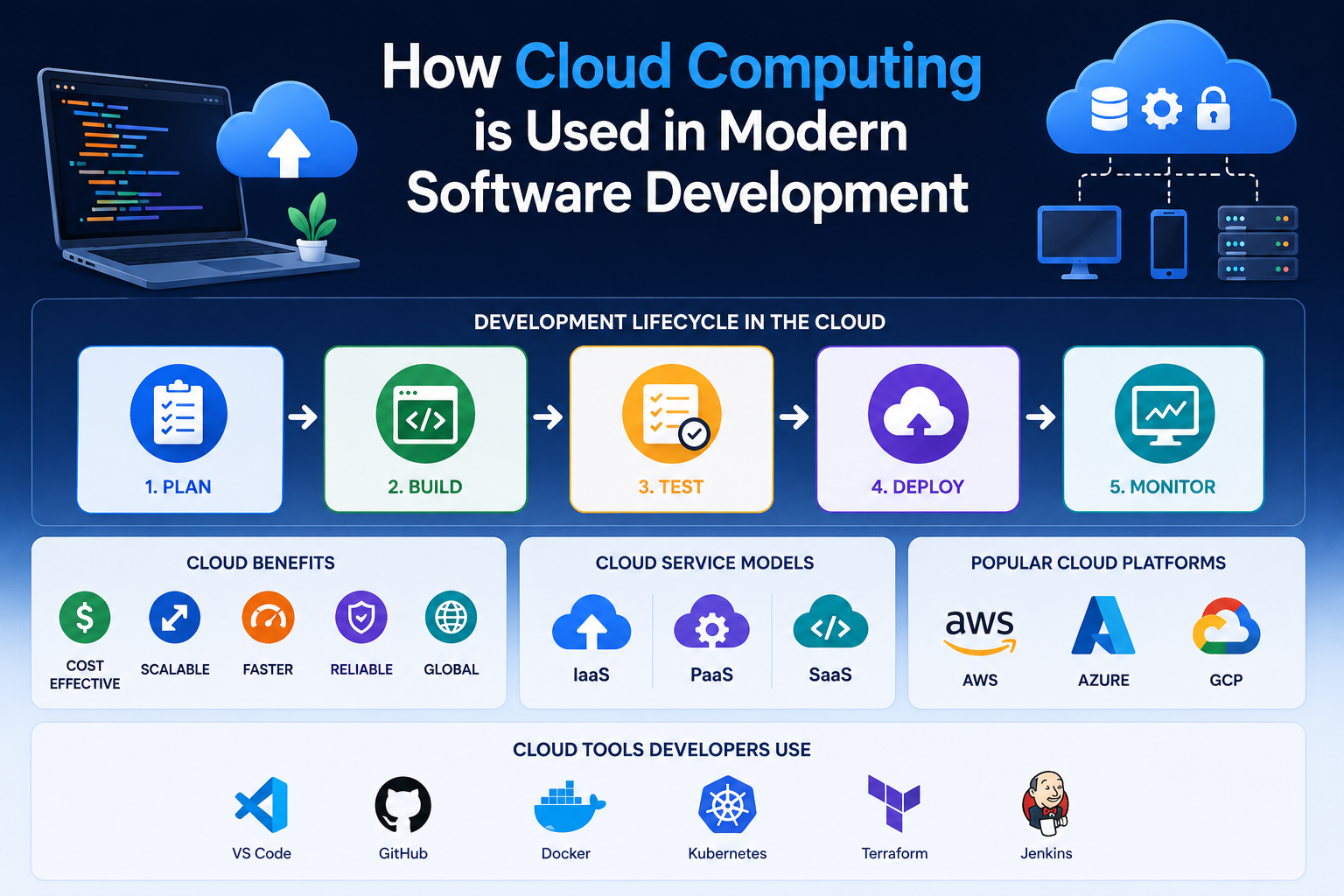
Cloud Platforms Used for Deployment
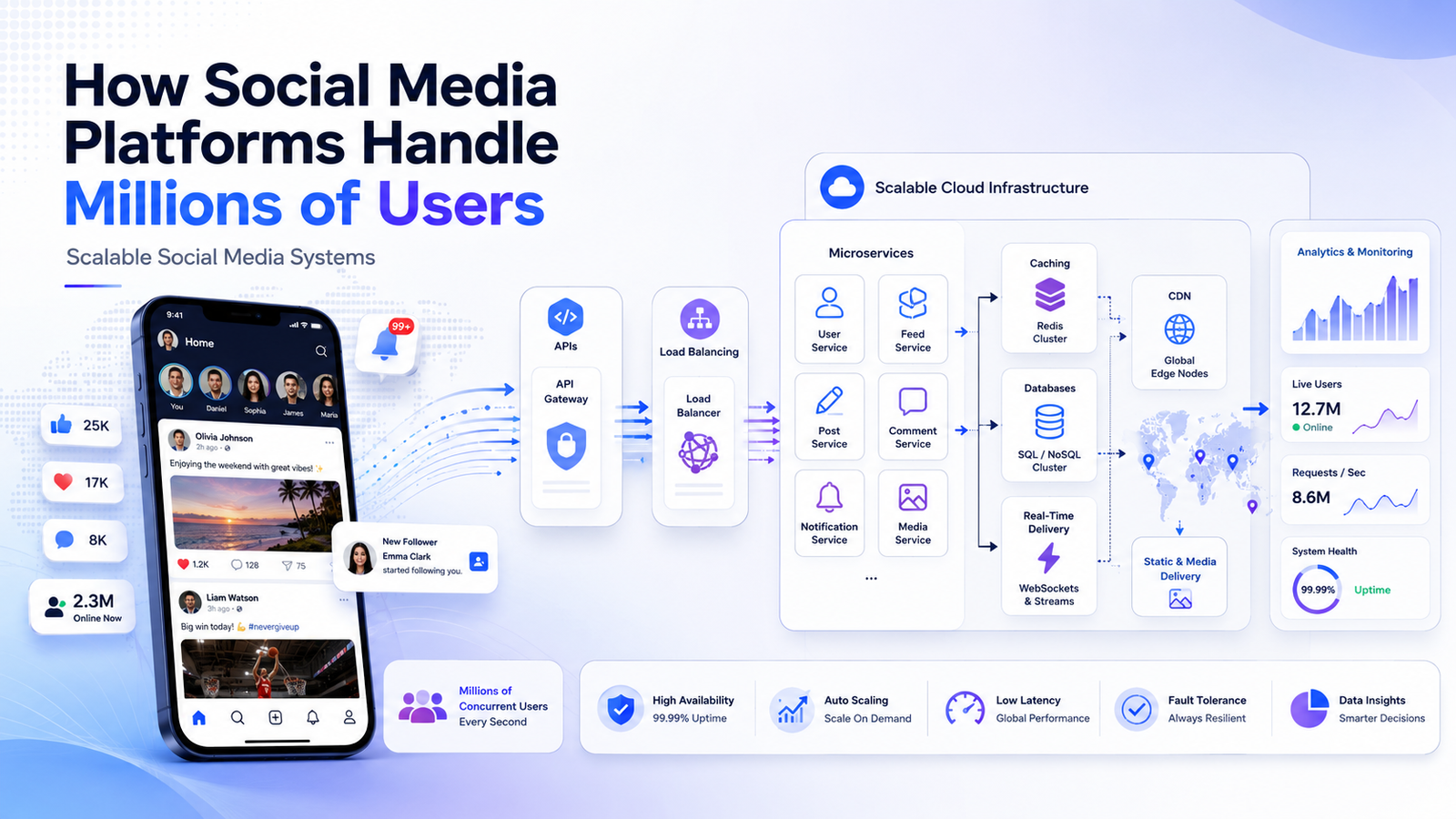
Modern companies often deploy applications using cloud platforms.
Popular choices include:
- Amazon Web Services (AWS)
- Microsoft Azure
- Google Cloud Platform (GCP)
Benefits:
- Scalability
- Reliability
- High Availability
- Global Reach
Real-World Example
When a company releases a mobile application update:
- Developers build the feature.
- Code is reviewed.
- Automated testing is executed.
- QA teams validate functionality.
- Application is deployed to staging.
- Small user groups receive updates.
- Monitoring begins.
- Global rollout occurs.
- Feedback is analyzed.
- Additional improvements are planned.
This process helps maintain quality and reliability.
Career Opportunities Related to Software Deployment
Students who understand deployment workflows can pursue careers as:
- Software Engineer
- DevOps Engineer
- Site Reliability Engineer
- Cloud Engineer
- Release Engineer
- Platform Engineer
- System Administrator
Deployment knowledge is increasingly valuable in modern software development environments.
Conclusion
Software updates released by large technology companies follow a structured process involving development, testing, automation, deployment, monitoring, and continuous improvement. Understanding this process helps developers build more reliable applications and prepares students for modern software engineering careers.
As organizations continue adopting cloud platforms and DevOps practices, deployment knowledge will remain an essential skill for future technology professionals.
🌐 Website: https://grootacademy.com
📺 YouTube: https://www.youtube.com/@YourGrootAcademy
📘 Facebook: http://facebook.com/GrootAcademy
📸 Instagram: https://www.instagram.com/groot.academy/
🐦 X: https://x.com/GrootAcademy
💼 LinkedIn: https://www.linkedin.com/company/grootacademy
📌 Pinterest: https://in.pinterest.com/mygrootacademy/