


IT Skills for Freshers: A Practical Learning Roadmap
Build a balanced foundation in programming, problem solving, data, Git, testing, projects and clear collaboration.
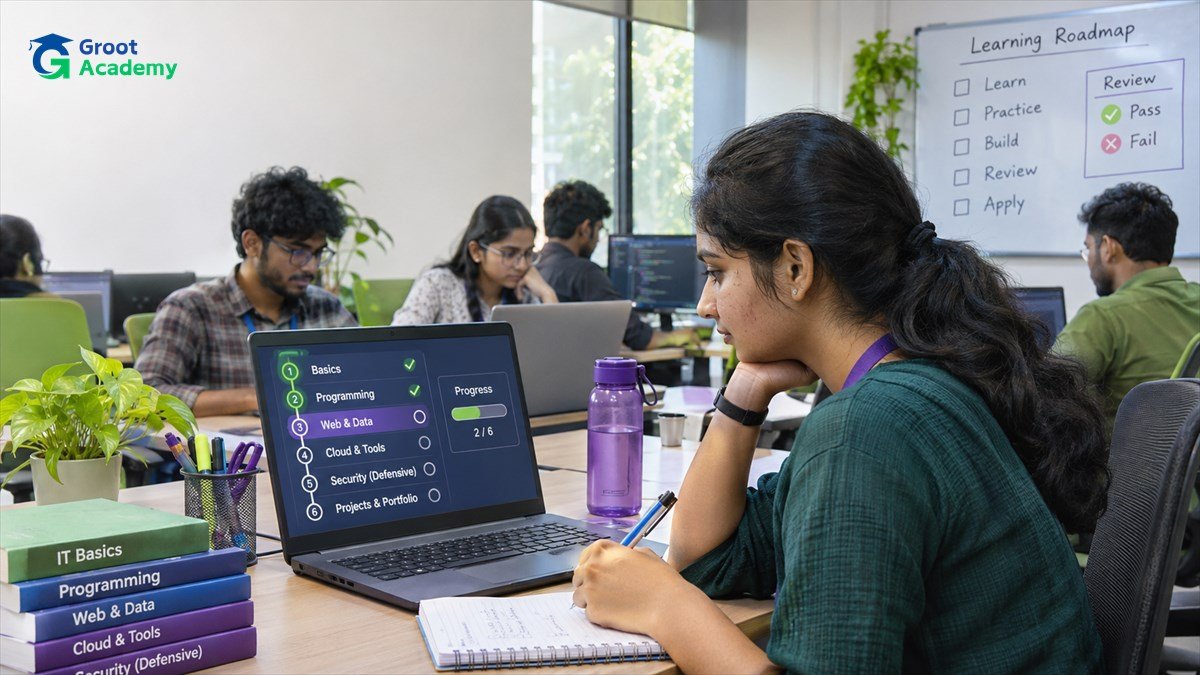
Build capability, not a list of tools
A useful early-career foundation is not a long list of course certificates or framework names. It is the ability to understand a small problem, choose an appropriate approach, make a change safely and explain what you verified. Start with one programming path, then connect it to data, version control, testing and a project.
Different roles need different depth. A frontend learner will spend more time in browser behaviour; a data learner may spend more time with SQL and analysis. The shared foundation remains valuable because it helps you understand work outside your immediate specialism.
Core technical skills to practise
| Skill area | What to practise | Evidence you can keep |
|---|---|---|
| Programming fundamentals | Variables, functions, data structures, errors and readable control flow in one language. | A small program with tests or documented sample inputs and outputs. |
| Problem solving and DSA | Break a problem into cases, choose data structures and compare simple approaches. | Notes explaining the approach and why you chose it. |
| Data and APIs | Model a small set of data, write basic queries and understand request/response behaviour. | A documented data model or a small API exercise. |
| Browser or application fundamentals | Build one interface, service or analysis workflow appropriate to your path. | A project README that states the user problem and boundaries. |
| Version control | Use branches, focused commits and pull requests for small changes. | Clear commit history and a reviewed change. |
| Testing and debugging | Reproduce a problem, test normal and invalid cases, then verify a repair. | A test case, bug note or short validation checklist. |
The Git and GitHub guide and software testing guide give practical starting points for the last two areas.
Turn skills into project practice
Choose a project small enough to finish and revise. A study planner, expense tracker, event list or resource catalogue can include a data model, validation, a user interface or API, tests and a short deployment note. Pick one useful flow first rather than combining payments, chat, dashboards and several user roles at once.
For each milestone, record the problem, constraints, implementation choice, validation and remaining limitation. That record is more useful than a polished screenshot because it lets another person follow your reasoning. The final-year projects guide shows how to scope, build and explain a project in stages.
Communication and teamwork are technical habits too
Explain a change so a teammate can review it: describe the expected behaviour, the affected files, how you tested it and what is still uncertain. Ask specific questions instead of saying only that something “does not work.” Read feedback carefully, update the change deliberately and document decisions that future contributors need to know.
Time management also means controlling scope. Break a large goal into visible tasks, complete the most important behaviour first and leave time for testing and revision. A smaller project that works and is documented gives clearer learning feedback than an unfinished large one.
Learning habits that help
- Build after reading: reproduce a concept in your own small example.
- Debug methodically: capture the input, expected result, actual result and the smallest reproduction.
- Learn one related group of skills at a time rather than switching among unrelated tools every day.
- Review your own code after a break and improve names, errors and documentation.
- Use feedback to identify the next gap, not as a score on your ability.
A balanced first learning plan
- Choose a primary path such as web development, programming, data analysis or backend work.
- Practise core language and problem-solving concepts through small exercises.
- Build one focused project and keep its work in version control.
- Add data, an API or a user interface that supports the project goal.
- Test errors and edge cases, then write the README and limitations.
- Ask for feedback and use it to plan the next project or concept.
The order can change with your starting point. What matters is that each new skill has a place in work you can run, inspect and explain.
Frequently asked questions
Which programming language should I start with?
Choose one that supports the kind of project you want to build, then practise its fundamentals deeply enough to solve small problems independently. You can add another language once you understand why a project needs it.
Are projects more useful than fundamentals?
They reinforce each other. Fundamentals help you make sound choices; projects show how the pieces connect. Use small projects to practise one foundation at a time.
How should I show my learning progress?
Keep a concise README, focused commits, a clear project setup and notes about the checks you ran. State limitations honestly instead of adding unsupported claims.
Turn learning into work you can explain
Use focused projects, clear documentation and feedback to reveal the next skill worth strengthening.
Plan a Final-Year Project