

Software Technologies 2026: Choose Your Learning Path
Find your direction in software: understand what each technology does, choose a focused learning path and build something you can explain.
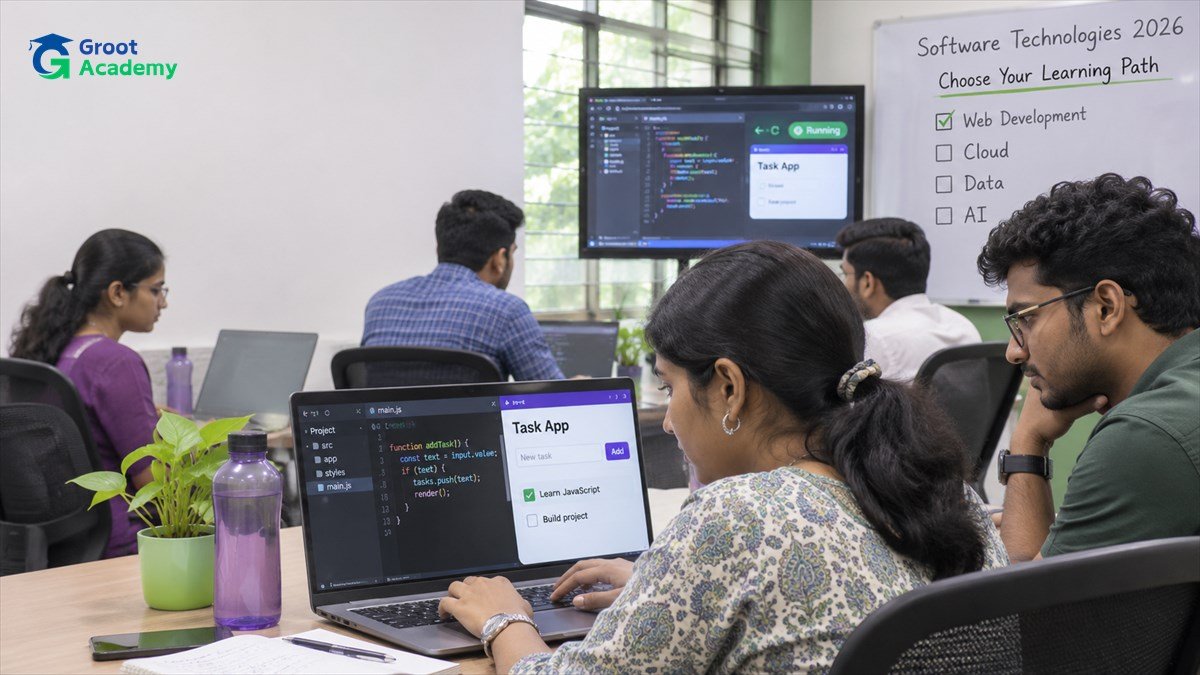
Start with the work you want to do
Software technologies include programming languages, interface libraries, databases, testing tools and deployment platforms. Each solves a different part of a problem. A useful learning plan connects those parts instead of collecting tool names.
This 2026 guide is a practical starting point for students, freshers and career changers exploring software learning in Jaipur. The paths below are suggested learning directions, rather than a market-share ranking or a prediction of hiring demand. Choose one direction, learn its foundations and use a small project to check your understanding.
- Enjoy building screens? Explore frontend development and interface behaviour.
- Enjoy logic and organising information? Explore backend development, APIs and databases.
- Enjoy finding patterns? Explore data analytics, then consider machine learning or AI applications.
- Enjoy checking how systems behave? Explore software testing and delivery practices.
Compare software technology paths
| Direction | Skills to explore | A useful first outcome |
|---|---|---|
| Frontend development | HTML, CSS, JavaScript, accessibility and React | A responsive interface with working search and form feedback |
| Backend development | Python or Java, HTTP, APIs, validation and SQL | A service that validates requests and stores records |
| Full Stack Development | Frontend, backend, databases, Git and integration | A complete small application with a documented setup |
| Data analytics | Spreadsheets, SQL, Python and visualisation | A clear dashboard with an explanation of the data |
| AI applications | Programming, data handling, model/API concepts and evaluation | A bounded assistant tested against sample questions |
| Cloud and delivery | Linux basics, configuration, containers and logs | A repeatable deployment of your own practice application |
| Software testing | Test cases, API checks, bug reports and automation basics | A test report showing expected and observed behaviour |
Web development: from a page to a complete application
Start with HTML for structure, CSS for layout and JavaScript for behaviour. Practise semantic headings, labelled inputs, keyboard navigation and layouts that work on narrow screens. A framework becomes more useful when you can already explain what happens in the browser.
React provides a component-based approach to interfaces. Its official Thinking in React tutorial uses a searchable table to explain component structure, data flow and state. Build a static interface first, then add the minimum state needed for interaction.
Full Stack Development extends the interface into server logic and stored data. Learn what happens when a form makes an HTTP request, how the backend checks it and how a database records the result. Read the frontend roadmap and the Full Stack learning guide to explore these responsibilities.
Python and Java: choose a foundation, then build depth
For a first programming language, choose a path you can practise consistently. Both Python and Java can teach variables, conditions, loops, functions, collections and problem solving. Learn to read errors and explain a program before adding a larger framework.
Python learning direction
Use small scripts to practise file handling, data transformations and repeatable tasks. Then choose backend, automation or data work according to your interests. The official Python beginner resources help you find a starting point; Groot Academy's Python developer roadmap connects foundations with projects and APIs.
Java learning direction
Begin with language fundamentals, methods, classes, collections and exception handling. For backend practice, connect those ideas to request handling, data models and tests. Use Dev.java's first steps for official learning material. A framework should help you structure an application whose behaviour you understand.
Whichever language you select, learn SQL and relational data concepts when your project needs persistent records. Practise keys, relationships, filtering and joins using fictional data. Read the database management guide and REST API guide before building a larger application.
Data analytics and AI applications
Data analytics starts with a question, a dataset and careful interpretation. Learn to clean records, check missing values, query information and explain charts. Python and SQL are useful practice tools, while a dashboard helps you communicate findings. Explore the Data Analytics course for a structured learning direction.
AI application work adds another layer: selecting a suitable model or service, preparing inputs and evaluating outputs. A fluent answer is not proof of correctness. For a practice assistant, define the questions it should answer, the source material it may use and the situations where it should say it cannot answer.
Start with a small, approved dataset and record both successful and failed examples. Review generated code, avoid uploading private records and keep credentials out of repositories. The AI chatbot development guide explains a bounded project approach; the Generative AI course provides another learning option.
Cloud, delivery and testing connect the pieces
Running an application on your laptop and making it available to others involve different tasks. Learn environment configuration, logs, network basics and the difference between application code and persistent data. Docker packages applications into images and runs them in containers; its official overview explains the core objects. Start with one application before adding orchestration tools.
Testing belongs alongside development. Check successful flows, invalid input, empty states and access rules. Write clear bug reports and repeat checks after a fix. Use automation for stable, repeatable behaviour while retaining manual checks for readability and usability.
Continue with the software testing guide or software team workflow guide. For structured study, compare Software Testing and Cloud Computing & AWS.
A practical learning roadmap
- Choose one outcome. Write down what you want to build and who would use it.
- Learn the foundations. Practise one language, basic data structures and debugging. Add browser fundamentals if you choose web development.
- Build a small version. Complete one useful flow before adding extra features.
- Connect the parts. Add an API, database or external service only when the project needs it.
- Check the result. Test valid and invalid inputs, narrow-screen behaviour and important error states.
- Document your work. Include setup instructions, decisions, checks and limitations in a README.
- Review the next gap. Choose your next topic from the problems you encountered.
Keep version history as you work. The Git and GitHub guide can help you record meaningful changes. Progress depends on your starting point, practice and feedback; a calendar alone does not establish readiness for a job.
Project ideas that connect technologies
| Project | What to practise | Evidence to keep |
|---|---|---|
| Course enquiry tracker | Form validation, API requests, database records and status changes using fictional enquiries | Setup notes and tests for invalid input and duplicate submissions |
| Library catalogue | Search, filters, record relationships and accessible screens | Sample records, query examples and keyboard checks |
| Sales analysis dashboard | Cleaning a synthetic dataset, SQL summaries and chart interpretation | Data dictionary, assumptions and an explanation of each finding |
| Study-resource assistant | Approved source material, question handling and output evaluation | Sample questions, failed cases and limitations |
These are learning ideas, not examples of client work completed by Groot Academy students. A focused project you can explain is more useful for assessment than a large copied application. Extend one project after you have checked its core flow.
Frequently asked questions
Which software technology should a beginner learn first in 2026?
Start with your goal. For web interfaces, begin with HTML, CSS and JavaScript. For general programming, Python or Java can provide a foundation. Select one direction and practise through small programs before adding frameworks.
Should I learn Python and Java together?
You can learn both over time, but beginners may find it easier to build confidence in one language first. Add a second when you can explain why your project or study plan needs it.
Do I need AI tools to become a developer?
AI tools can assist with practice and exploration. You still need to understand requirements, review code, debug failures and verify results. Build the ability to explain your own work.
Does learning a technology guarantee a job?
No. Technology knowledge is one part of preparation alongside problem solving, communication, projects and the requirements of a specific opportunity.
How can I choose a Groot Academy course in Jaipur?
Compare the course catalogue with your goal and current level. Contact the course team to confirm the syllabus, prerequisites, fees, format and current batch timings.
Official learning resources
Use these resources alongside practice. Installation instructions and tool behaviour can change, so consult the documentation for the version you use.
Choose a practical learning path in Jaipur
Explore Groot Academy courses, then discuss your starting level, syllabus, learning format and current batch options with the team.
Explore courses