


React Native Development Course in Jaipur
Use JavaScript and React-style components to build mobile interfaces, navigation flows and API-connected features. Work through state management, local data, device capabilities and a complete React Native project.
- Practical learning
- Project practice
- Jaipur
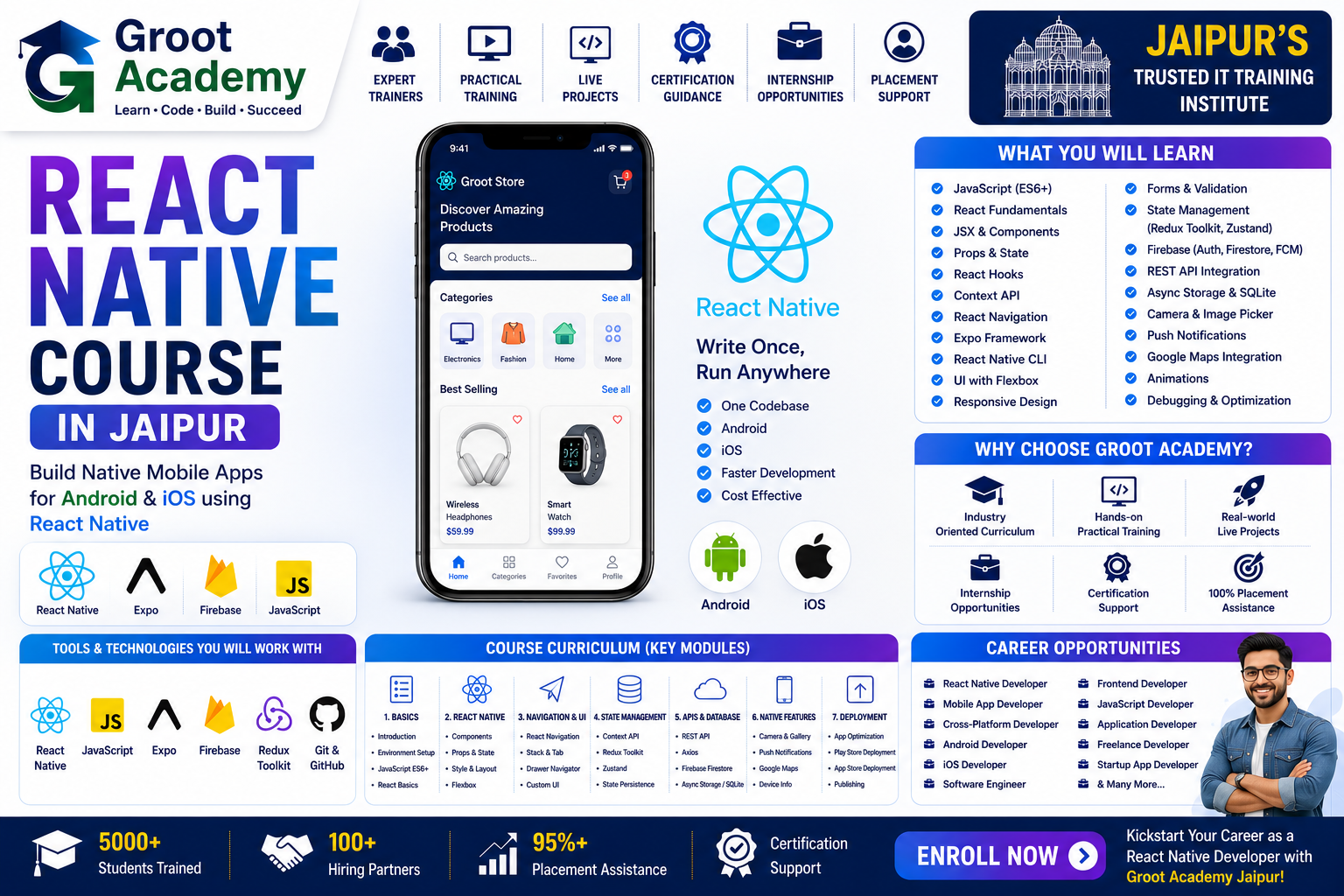
React Native Development
Build your foundation in React Native Development
Use JavaScript and React-style components to build mobile interfaces, navigation flows and API-connected features. Work through state management, local data, device capabilities and a complete React Native project.
This JavaScript-based mobile path develops React fundamentals, core mobile components, responsive layouts, navigation and forms before progressing to hooks, Context and Redux Toolkit.
Build data-connected application features with REST APIs, AsyncStorage, SQLite and Firebase. Practise device permissions, offline-data handling, testing, debugging and performance checks, then prepare an Android release build as part of the project workflow.
Who can join?
JavaScript learners moving into mobile development React learners comparing a mobile path Students building cross-platform application projects Developers choosing between Flutter and React Native
Skills and tools
Course curriculum
Explore the published learning outline below. Confirm the detailed syllabus and module coverage for your chosen batch with the course team.
Introduction to React Native
Set up the tools and project structure for a cross-platform React Native application.
- Introduction to React Native
- Features and Advantages of React Native
- React Native vs Native App Development
- Understanding Cross-Platform Development
- Setting Up the Development Environment
- Installing Node.js and npm
- Installing Android Studio and Required SDKs
- Setting Up VS Code
- Creating Your First React Native App
- Understanding React Native Project Structure
JavaScript Essentials for React Native
Review modern JavaScript syntax, collections, functions and asynchronous programming.
- JavaScript Fundamentals
- Variables and Data Types
- Operators and Expressions
- Conditional Statements
- Loops and Iteration
- Functions and Arrow Functions
- Objects and Arrays
- Destructuring and Spread Operators
- ES6 Modules
- Promises and Async Await
React Fundamentals
Understand JSX, components, props, state and reusable React patterns.
- Introduction to React
- JSX Syntax
- Functional Components
- Props
- State
- Component Lifecycle Concepts
- Event Handling
- Conditional Rendering
- Lists and Keys
- Reusable Components
React Native Core Components
Build mobile screens with React Native core UI components.
- View Component
- Text Component
- Image Component
- ScrollView
- SafeAreaView
- Pressable and Touchable Components
- TextInput
- Button Components
- ActivityIndicator
- Platform-Specific Components
Layouts and Styling
Use Flexbox, responsive dimensions and styling to create clear mobile layouts.
- Introduction to Flexbox
- Flex Direction and Alignment
- Dimensions and Responsive Layouts
- Margins and Padding
- StyleSheet API
- Colors and Typography
- Shadows and Elevation
- Responsive Mobile UI
- Dark Mode Basics
- Building Professional App Screens
Navigation in React Native
Connect screens, pass parameters and organise authenticated navigation flows.
- Introduction to React Navigation
- Stack Navigation
- Tab Navigation
- Drawer Navigation
- Passing Parameters Between Screens
- Nested Navigation
- Navigation Lifecycle
- Deep Linking Basics
- Authentication Flow Navigation
- Navigation Project
Forms and User Input
Build accessible form interactions, validation and user feedback.
- Handling Text Input
- Controlled Components
- Form Validation
- Keyboard Handling
- Dropdown and Selection Components
- Checkboxes and Switches
- Date and Time Pickers
- Error Messages and User Feedback
- Form Submission
- Building a Complete Form
State Management
Compare state approaches with hooks, Context and Redux Toolkit.
- Introduction to State Management
- useState Hook
- useReducer Hook
- Context API
- React Context Patterns
- Redux Fundamentals
- Redux Toolkit
- Actions and Reducers
- Async State Management
- Choosing a State Management Solution
Hooks and Advanced React Concepts
Use hooks, refs and memoisation to structure reusable component logic.
- Introduction to Hooks
- useEffect Hook
- useMemo Hook
- useCallback Hook
- Custom Hooks
- Refs with useRef
- Performance Optimization
- Component Memoization
- Code Reusability
- Hooks-Based Project
APIs and Networking
Connect mobile screens to REST APIs with loading and error handling.
- Introduction to REST APIs
- Fetch API
- Axios
- GET Requests
- POST Requests
- PUT and DELETE Requests
- JSON Parsing
- API Error Handling
- Loading and Empty States
- API-Based Mobile Application
Device Features and Native Modules
Explore device permissions, media, maps and platform-specific capabilities.
- Introduction to Device APIs
- Permissions Handling
- Camera Integration
- Image Picker
- Location and Maps Basics
- File and Media Handling
- Notifications Basics
- Native Modules Overview
- Platform-Specific Code
- Device Features Project
Database and Local Storage
Persist and cache application data with local-storage and database concepts.
- AsyncStorage
- Secure Storage Basics
- SQLite Integration
- CRUD Operations
- Realm Database Introduction
- Data Persistence
- Offline Data Handling
- Caching Strategies
- Database Error Handling
- Local Storage Project
Firebase Integration
Connect authentication, cloud data and storage through Firebase.
- Introduction to Firebase
- Firebase Project Setup
- Firebase Authentication
- User Registration and Login
- Cloud Firestore
- Firebase Realtime Database
- Firebase Storage
- Push Notifications
- Firebase Security Basics
- Firebase Application Project
Testing, Debugging and Performance
Practise testing, debugging and application performance review.
- Debugging React Native Applications
- Using React Native Debugger
- Logging and Error Tracking
- Unit Testing Basics
- Component Testing
- Performance Optimization
- Memory and Render Optimization
- Handling Production Errors
- Release Build Testing
- Application Quality Checklist
Live Projects and Deployment
Integrate project features and prepare an Android release build.
- React Native App Project Planning
- UI and Feature Development
- Navigation Integration
- State Management Integration
- REST API Integration
- Database Integration
- Firebase Authentication
- Testing and Debugging
- Performance Optimization
- Preparing Android Release Build
- Google Play Store Publishing Basics
- Final React Native Live Project
Project practice ideas
Use these examples to discuss suitable practice work with your trainer.
Multi-screen React Native app
Use this as a practical project brief to plan, build, test and document your work.
Mobile form and validation flow
Use this as a practical project brief to plan, build, test and document your work.
API-driven application screen
Use this as a practical project brief to plan, build, test and document your work.
Documented React Native capstone
Use this as a practical project brief to plan, build, test and document your work.
Local-storage and offline-data project
Use this as a practical project brief to plan, build, test and document your work.
Firebase authentication application
Use this as a practical project brief to plan, build, test and document your work.
Device-features project with permission handling
Use this as a practical project brief to plan, build, test and document your work.
Frequently asked questions
Do I need React before learning React Native?
JavaScript fundamentals are important. Familiarity with React components helps, and the course reviews component concepts, JSX, props, state and hooks used in React Native.
How is React Native different from Flutter?
React Native uses JavaScript and React-style components; Flutter uses Dart and Flutter widgets. Both are cross-platform approaches, so choose based on your preferred language and project goals.
Does the course include mobile APIs?
Yes. The curriculum includes REST APIs, Fetch, Axios, JSON parsing, asynchronous requests, error handling and loading states for API-connected mobile screens.
Does the course include state management and Firebase?
Yes. The curriculum covers useState, useReducer, Context, Redux and Redux Toolkit, plus Firebase authentication, Firestore, Realtime Database, storage and security basics.
Will I study local storage and device features?
Yes. Source topics include AsyncStorage, secure-storage concepts, SQLite, persistence, offline-data handling and caching. Device-feature topics include permissions, camera, image picking, location, media and notification basics.
Does the learning path include testing and release preparation?
Yes. The curriculum includes unit and component testing basics, debugging, performance and release-build testing, followed by Android release preparation and Google Play publishing concepts. Actual account setup and release requirements should be reviewed for the selected project.
Who is this course for?
JavaScript learners moving into mobile development React learners comparing a mobile path Students building cross-platform application projects Developers choosing between Flutter and React Native
How can I confirm fees, duration and batch timings?
Contact Groot Academy for the current syllabus, fees, duration and available learning modes before enrolling. These details depend on the selected course and batch.
Ready to discuss React Native Development?
Ask the course team about syllabus coverage, current batch timings, fees, duration and learning modes before you decide.