UI/UX Design Course in Jaipur
Join Groot Academy’s UI/UX Design Course in Jaipur and learn how to research users, plan digital experiences, create wireframes, design professional interfaces and build interactive prototypes. The course covers UI design, UX design, design thinking, user research, user personas, user journeys, information architecture, wireframing, Figma, components, auto layout, design systems, responsive design, usability testing and portfolio projects.
What You Will Learn
- UI and UX Design Fundamentals
- Design Thinking and Human-Centered Design
- User Research and Competitor Research
- User Personas and User Journey Maps
- Information Architecture and User Flows
- Wireframing for Websites, Apps and Dashboards
- Figma Fundamentals and Professional UI Design
- Typography, Colors and Visual Hierarchy
- Components, Variants and Auto Layout
- Design Systems and Responsive Design
- Interactive Prototyping and Microinteractions
- Usability Testing and UX Improvement
- Portfolio Projects and UI/UX Case Studies
Related Groot Academy Courses
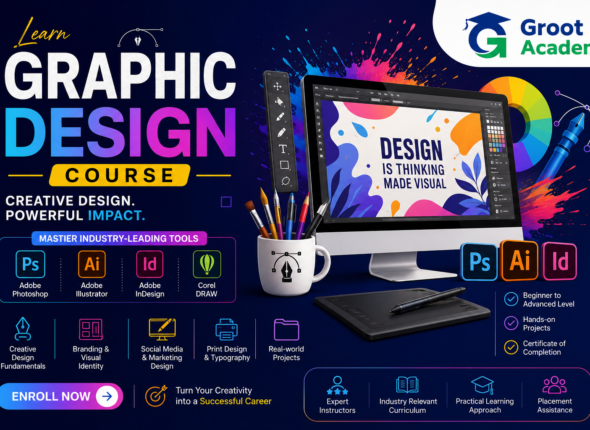
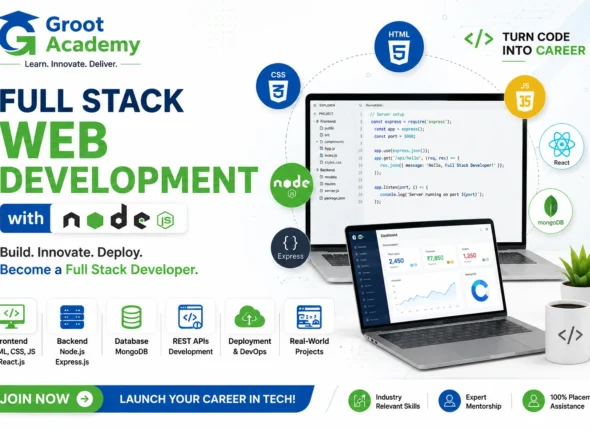
Students interested in design tools can also explore the Figma Course in Jaipur and Graphic Design Course in Jaipur. For students who want to understand how designs are converted into working products, explore our Full Stack Development Course in Jaipur.
Practical Learning and Career Support
The course includes practical assignments, portfolio projects and a final capstone project. You can also explore Live Project Training, Internship Programs in Jaipur and Placement Assistance.
Who Can Join?
This UI/UX Design training is suitable for beginners, students, graduates, working professionals and anyone interested in web design, mobile app design and digital product design.
Frequently Asked Questions
Is this UI/UX Design Course suitable for beginners?
Yes. The curriculum starts with UI/UX fundamentals and gradually covers research, wireframing, Figma, prototyping, usability testing and projects.
Will I learn Figma?
Yes. You will learn Figma fundamentals, frames, layers, typography, components, auto layout, responsive layouts and interactive prototypes.
Are projects included?
Yes. The curriculum includes website, mobile application, e-commerce, dashboard and final capstone projects.
Curriculum
- 15 Sections
- 150 Lessons
- 3 Weeks
- Introduction to UI and UX Design10
- 1.1Introduction to UI Design
- 1.2Introduction to UX Design
- 1.3Difference Between UI and UX
- 1.4Understanding User-Centered Design
- 1.5UI/UX Design Process Overview
- 1.6Roles of a UI/UX Designer
- 1.7UI/UX Design Industry and Career Opportunities
- 1.8Real-World UI/UX Design Examples
- 1.9Understanding Websites, Mobile Apps and Digital Products
- 1.10Setting Up Your UI/UX Design Environment
- Design Thinking and Human-Centered Design10
- 2.1Introduction to Design Thinking
- 2.2Understanding the Empathize Stage
- 2.3Understanding the Define Stage
- 2.4Understanding the Ideate Stage
- 2.5Understanding the Prototype Stage
- 2.6Understanding the Test Stage
- 2.7Human-Centered Design Principles
- 2.8Identifying User Problems
- 2.9Solving Design Challenges
- 2.10Design Thinking Practical Exercise
- User Research Fundamentals10
- 3.1Introduction to User Research
- 3.2Understanding Target Users
- 3.3Qualitative User Research
- 3.4Quantitative User Research
- 3.5Conducting User Interviews
- 3.6Creating Surveys and Questionnaires
- 3.7Competitor Research
- 3.8Creating a User Research Plan
- 3.9Analyzing Research Findings
- 3.10User Research Practical Project
- User Personas and User Journeys10
- 4.1Introduction to User Personas
- 4.2Creating User Personas
- 4.3Understanding User Goals
- 4.4Identifying User Pain Points
- 4.5Creating User Scenarios
- 4.6Introduction to User Journey Maps
- 4.7Creating Customer Journey Maps
- 4.8Understanding User Experience Touchpoints
- 4.9Identifying User Opportunities
- 4.10Persona and User Journey Project
- Information Architecture10
- 5.1Introduction to Information Architecture
- 5.2Organizing Website and App Content
- 5.3Understanding Content Hierarchy
- 5.4Creating Navigation Structures
- 5.5Creating Website Sitemaps
- 5.6Understanding User Flows
- 5.7Creating Task Flows
- 5.8Card Sorting Concepts
- 5.9Creating Clear Information Structures
- 5.10Information Architecture Project
- Wireframing Fundamentals10
- 6.1Introduction to Wireframes
- 6.2Understanding Low-Fidelity Wireframes
- 6.3Sketching Interface Ideas
- 6.4Planning Website Layouts
- 6.5Creating Mobile App Wireframes
- 6.6Creating Website Wireframes
- 6.7Creating Dashboard Wireframes
- 6.8Designing Navigation Wireframes
- 6.9Wireframing Best Practices
- 6.10Wireframe Practical Project
- Introduction to Figma10
- 7.1Introduction to Figma
- 7.2Creating a Figma Account and Workspace
- 7.3Understanding the Figma Interface
- 7.4Working with Frames and Pages
- 7.5Using Shapes and Basic Design Tools
- 7.6Working with Text and Typography Tools
- 7.7Adding Images and Design Assets
- 7.8Understanding Layers and Organization
- 7.9Managing Figma Files and Projects
- 7.10Figma Fundamentals Practical Exercise
- Visual UI Design Principles10
- 8.1Introduction to Visual Design
- 8.2Understanding Visual Hierarchy
- 8.3Balance and Alignment in UI Design
- 8.4Spacing and White Space
- 8.5Creating Consistent User Interfaces
- 8.6Understanding Gestalt Principles
- 8.7Using Contrast and Emphasis
- 8.8Designing Clear and Simple Interfaces
- 8.9UI Design Best Practices
- 8.10Visual UI Design Project
- Typography and Color Systems10
- 9.1Typography Fundamentals
- 9.2Choosing the Right Typefaces
- 9.3Font Sizes and Type Scale
- 9.4Font Weight and Readability
- 9.5Introduction to Color Theory
- 9.6Creating Professional Color Palettes
- 9.7Color Accessibility and Contrast
- 9.8Using Color for Visual Hierarchy
- 9.9Creating Design Tokens
- 9.10Typography and Color System Project
- Components and Auto Layout10
- 10.1Introduction to Figma Components
- 10.2Creating Reusable Components
- 10.3Understanding Component Variants
- 10.4Working with Component Properties
- 10.5Introduction to Auto Layout
- 10.6Building Responsive Components
- 10.7Creating Nested Components
- 10.8Managing Component Libraries
- 10.9Creating Reusable UI Patterns
- 10.10Components and Auto Layout Project
- Design Systems and Responsive Design10
- 11.1Introduction to Design Systems
- 11.2Understanding Design System Foundations
- 11.3Creating UI Patterns and Standards
- 11.4Designing Buttons and Form Components
- 11.5Creating Navigation Components
- 11.6Responsive Design Principles
- 11.7Designing for Desktop and Mobile
- 11.8Understanding Responsive Grids
- 11.9Maintaining Design Consistency
- 11.10Building a Mini Design System
- Prototyping and Interaction Design10
- 12.1Introduction to Prototyping
- 12.2Creating Interactive Prototypes
- 12.3Designing Navigation Interactions
- 12.4Creating Button Interactions
- 12.5Understanding Microinteractions
- 12.6Adding Transitions and Animations
- 12.7Working with Prototype Variables
- 12.8Creating Mobile App Prototypes
- 12.9Creating Website Prototypes
- 12.10Interactive Prototype Project
- Usability Testing and UX Improvement10
- 13.1Introduction to Usability Testing
- 13.2Planning a Usability Test
- 13.3Creating Usability Test Scenarios
- 13.4Observing User Behavior
- 13.5Collecting User Feedback
- 13.6Identifying Usability Problems
- 13.7Prioritizing UX Issues
- 13.8Improving Designs Based on Feedback
- 13.9Accessibility Basics for UI/UX Designers
- 13.10Usability Testing Practical Project
- UI/UX Portfolio Projects10
- 14.1Website Redesign Project
- 14.2Mobile Application Design Project
- 14.3E-Commerce App Design
- 14.4Dashboard UI Design
- 14.5Landing Page UI Design
- 14.6Creating Complete User Flows
- 14.7Writing UI/UX Case Studies
- 14.8Documenting the Design Process
- 14.9Preparing Portfolio Screens
- 14.10Presenting UI/UX Design Projects
- Live UI/UX Project and Career Preparation10
- 15.1Understanding a Client Design Brief
- 15.2Researching a Real Product Problem
- 15.3Creating User Personas and User Flows
- 15.4Wireframing the Complete Solution
- 15.5Creating High-Fidelity UI Designs
- 15.6Building a Clickable Prototype
- 15.7Conducting a Usability Review
- 15.8Final UI/UX Design Presentation
- 15.9UI/UX Portfolio Review and Resume Preparation
- 15.10Final UI/UX Design Capstone Project