


Web Development vs App Development: How to Choose a Starting Path
A practical comparison of browser-based web development and mobile app development, with shared skills, platform differences and project ideas that help beginners choose a direction.
The short answer: choose the problem and platform, not a “better” label
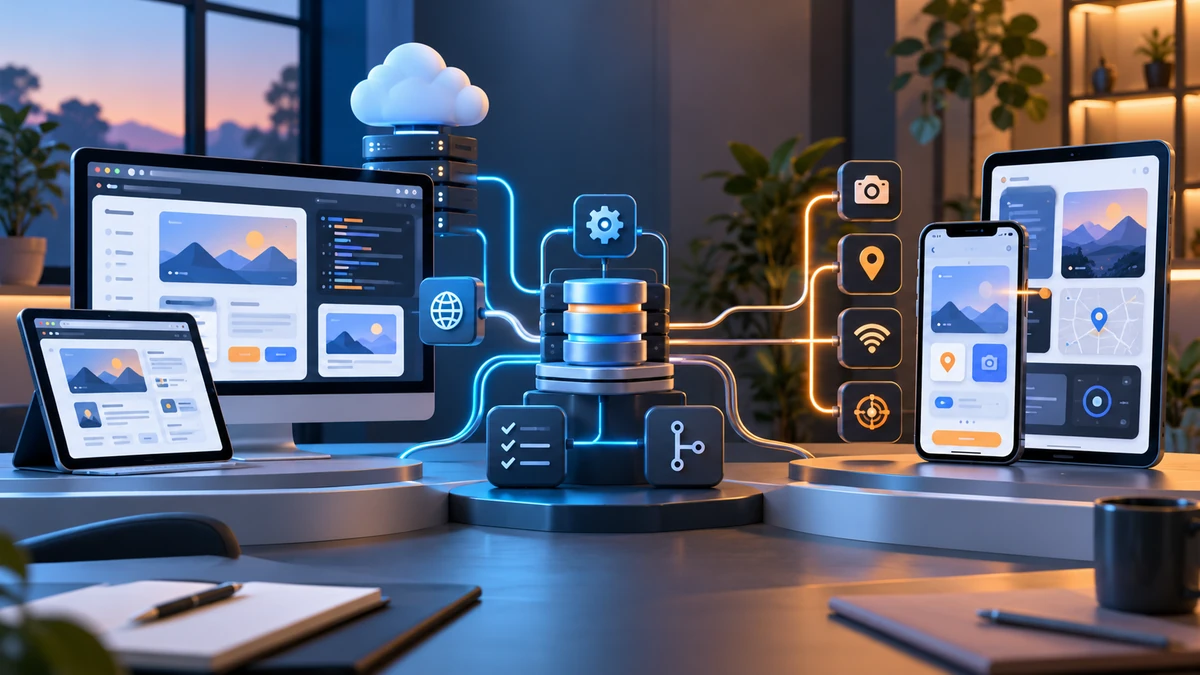
Web development creates experiences that people use in a browser. App development commonly refers to software built for mobile devices, although applications can also target desktop or other platforms. Neither path is automatically more advanced or more valuable. They solve different delivery and interaction problems, and modern products often use both: a responsive website, an API, an administration dashboard and a mobile app can all serve the same service.
For a beginner, the most useful question is where users will work. Do they need to open a link in a browser on any device? Do they need a mobile-first experience with device features such as a camera, notifications, location or offline access? Will the project need a backend, a database and authentication regardless of its interface? Answering those questions gives you a better starting point than choosing based on a job-title list.
Both paths benefit from core engineering habits: breaking a problem into smaller parts, writing readable code, testing ordinary and awkward cases, using Git, documenting setup and learning how an API and data store fit into a larger system. The Software Development career guide explains those shared habits in more detail.
Web development and app development at a glance
| Area | Web development | Mobile app development |
|---|---|---|
| Primary environment | A browser, usually across desktop, tablet and mobile screen sizes. | A mobile operating system and device, often Android and/or iOS. |
| First interface skills | HTML, CSS, JavaScript, responsive layouts and accessibility. | Platform or cross-platform UI components, navigation, state and touch-focused interaction. |
| How users access it | Usually by visiting a URL; updates can be delivered through the server. | Usually by installing an application; release and update processes depend on the platform and distribution method. |
| Device features | Browser capabilities can be useful, but access varies by browser and device. | Can make deeper use of device-specific capabilities such as notifications, camera, storage, sensors or location when appropriate. |
| Typical shared backend | APIs, databases, authentication, validation and logging. | APIs, databases, authentication, validation and logging. |
| Testing focus | Different browsers, responsive sizes, accessibility and network behavior. | Device sizes, operating-system behavior, permissions, network conditions and interaction flows. |
The table describes patterns, not rigid rules. A web app can be highly interactive and a mobile app can share most of its business logic with a web product. The interface is one part of a complete system.
What web development usually involves
Web development often starts with the visible layer: semantic HTML gives a page structure, CSS controls layout and responsive behavior, and JavaScript adds interaction. A beginner can get useful visual feedback quickly by building a page that works on different screen sizes. As projects grow, frontend work can include reusable components, state management, forms, accessibility, performance and calling APIs.
Web development also includes the server-side side of an application. A backend can receive a request, validate it, apply rules, store or retrieve data and return a response. Full-stack work combines the interface, backend, API and data model. The Web Designing and Frontend Development guide is a useful foundation, while the Full Stack Web Development guide shows how frontend, backend and data layers connect.
A web-first approach is often practical when users need broad access through a link, content must be searchable or shareable, and a team wants to update the experience without requiring every user to install a new version. That does not make it easier in every respect: responsive layouts, browser compatibility, accessibility, security and performance all require deliberate testing.
What mobile app development usually involves
Mobile app development focuses on software designed around smaller screens, touch interaction and device behavior. A mobile project often needs navigation between screens, forms, state management, local storage, network loading states, permissions and careful handling of different device sizes. The interface needs to feel purposeful on a phone, not like a desktop page squeezed into a narrow space.
A learner can take a native route—using platform-specific tools and languages—or a cross-platform route that shares much of the code across mobile systems. The best choice depends on the product’s needs, the team, the required device features and the level of platform-specific control. A cross-platform approach still requires testing on real platforms and an understanding of platform constraints.
Mobile apps often communicate with the same kind of backend services used by web applications. They may call APIs, authenticate users, store data, handle errors and synchronize information. The Flutter and Mobile App Development guide covers a structured route through Dart, UI, navigation, APIs and project work. The Mobile Application Development course is a related course path.
The foundations that transfer between both paths
Do not treat web and app development as two completely separate careers. The following foundations transfer directly:
- Programming logic: variables, conditions, functions, collections, errors and debugging.
- User-focused design: clear layouts, feedback, predictable navigation and sensible defaults.
- Data and APIs: understanding request-response flow, validation, data formats, authentication concepts and failure states.
- Version control and collaboration: meaningful commits, code review, issue tracking and documentation.
- Testing: checking ordinary use, invalid input, slow networks, empty states and regression risks.
- Security and privacy: keeping secrets out of code, validating input and using only data you are permitted to process.
This overlap means a beginner is not trapped by a first choice. Someone who starts with responsive websites can later learn mobile UI and app lifecycle concepts. Someone who starts with a mobile app can strengthen backend and web skills by building a dashboard or API for the same product.
How to choose a starting point
Choose web development first if you enjoy visual layouts, browser-based products, responsive design, accessible content, interfaces that can be shared by a link or complete website-to-backend systems. HTML and CSS offer a concrete and approachable first step, while JavaScript opens the path to richer applications.
Choose mobile app development first if you are especially interested in phone-centered experiences, touch interaction, device-specific capabilities and application flows that people may use frequently. You will still benefit from learning APIs, data and UI principles, but you will apply them through a mobile framework or platform.
Use a full-stack or backend direction if the part you enjoy most is how systems communicate: APIs, databases, validation, authentication and business logic. That work can support both web and mobile interfaces. If you are unsure, build one small browser project and one small mobile-style project, then notice which problems you want to revisit after the first version is complete.
Avoid choosing based on promises about salary, demand or guaranteed outcomes. Those factors change with location, experience, organization, portfolio, interview performance and market conditions. Build reliable skills and compare current role descriptions when you are preparing to apply.
Projects that make the comparison practical
Try a small version of the same problem on each platform. This shows what changes and what stays the same.
Web project: local-event finder
Build a responsive browser interface that displays a small approved list of events. Include filters, a detail view, an accessible form for suggesting an event and clear empty states. If you add a backend, validate submitted fields and keep a simple data model.
Mobile project: personal task helper
Build a mobile-focused task app with a small number of screens, form validation, local storage and a clear completed state. Test on different device sizes, handle an empty list and document how the app behaves when storage or a network request is unavailable.
Shared project: one API, two interfaces
Create a basic API for notes, tasks or inventory, then build a browser interface and a mobile interface that use the same endpoints. Keep the first version focused. The valuable lesson is understanding contracts between client and server, not adding a long feature list.
Document the problem, setup, data flow, test cases and limitations in a README. For additional practice in planning, debugging and explaining solutions, see the coding challenges guide.
Frequently asked questions
Is web development easier than app development?
They have different learning curves. Web development lets many beginners see results quickly through HTML and CSS, while app development introduces platform and device concerns earlier. Both require practice, debugging and project work.
Can I learn web and mobile app development together?
You can, but beginners often make faster progress by choosing one interface path first and learning its core concepts well. Add the other path after you can complete a small project and understand shared API and data basics.
Do web and mobile apps use the same backend?
Often they can. A well-defined API and data model can support browser clients, mobile clients and administrative tools. The clients may still need different UI, navigation and platform-specific behavior.
Should I choose native or cross-platform app development?
Choose based on the product’s device requirements, target platforms, existing skills and the amount of platform-specific control needed. Cross-platform tools can share code, but they do not remove the need for platform testing and careful mobile design.
What should I learn before building a full-stack or mobile project?
Build core programming logic first, then add user-interface fundamentals, version control, APIs, data handling and debugging. A small complete project is a better next step than trying to learn every library at once.
Explore practical development paths
Choose a focused foundation, build one complete project and then add the next layer of skills based on the problems you enjoy solving.
Explore Courses