


React State Management Basics Through a Course Finder Project
State is information that changes what a component renders.
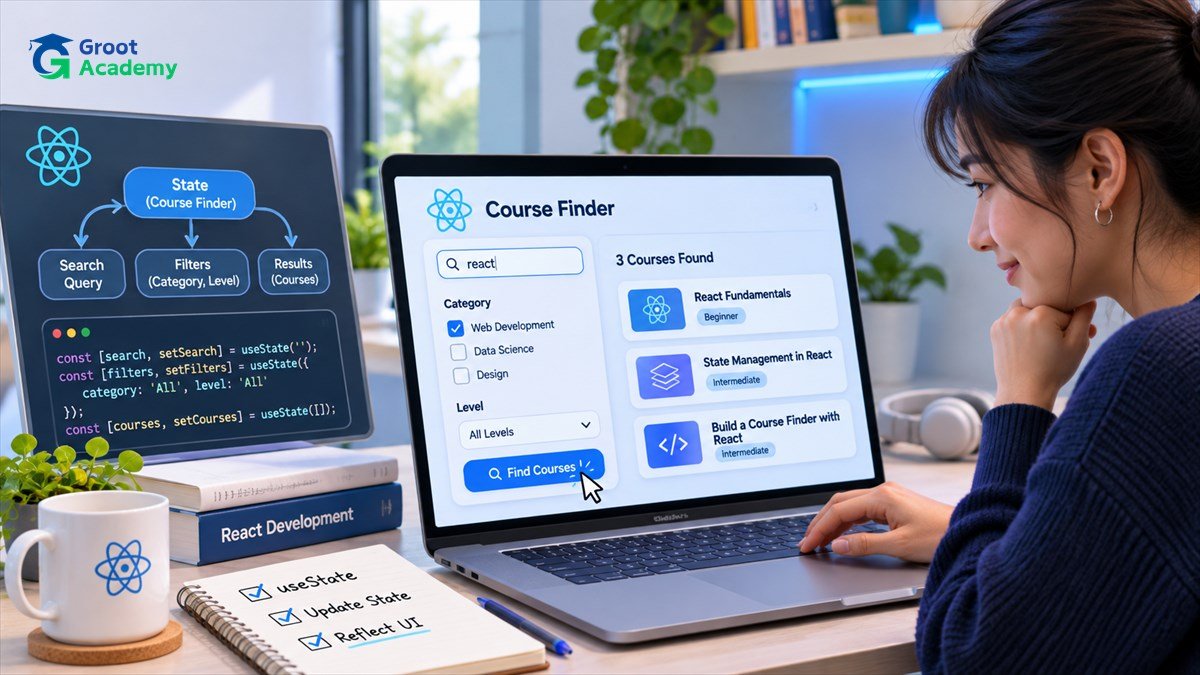
State is information that changes what a component renders.
Understand the topic and learning goal
Build a local course finder with a text query, selected category and visible results. Keep the query and selected category as state; derive matching results instead of copying filtered lists into another state variable.
Try a practical exercise
Use stable IDs when rendering list items and make labels explicit for form controls. Separate card presentation from filtering logic so that each part can be tested and revised independently.
Quality and safety checks
When results are empty, show an informative message and a way to clear filters. Avoid introducing a global state library for a tiny standalone component without a demonstrated need.
Next learning step and portfolio evidence
Once the interface works, test different capitalization, punctuation, long titles and keyboard navigation. Explain the component tree and data flow in your README.
Keep a dated learning journal with the problem, approach, inputs, expected output, actual output and improvements you plan to make. Compare related study options in the Groot Academy course directory, read the IT career guidance guide and use the blog directory to explore adjacent skills.
Frequently asked questions
Do I need to buy special tools to start?
Many introductory exercises can be completed using free or open-source tools. Check the software and equipment requirements of any specific course before enrolling.
How can I demonstrate progress?
Keep reproducible exercises, screenshots where appropriate, test cases and a short explanation of what you learned. Do not publish personal or confidential information in example datasets.
Learn through practical projects
Explore the published course outlines and compare prerequisites before choosing a learning path.
Explore courses