


Python Virtual Environments and pip: A Reproducible Project Setup
Learn how to isolate Python dependencies, document versions and reproduce a small project on a second computer.
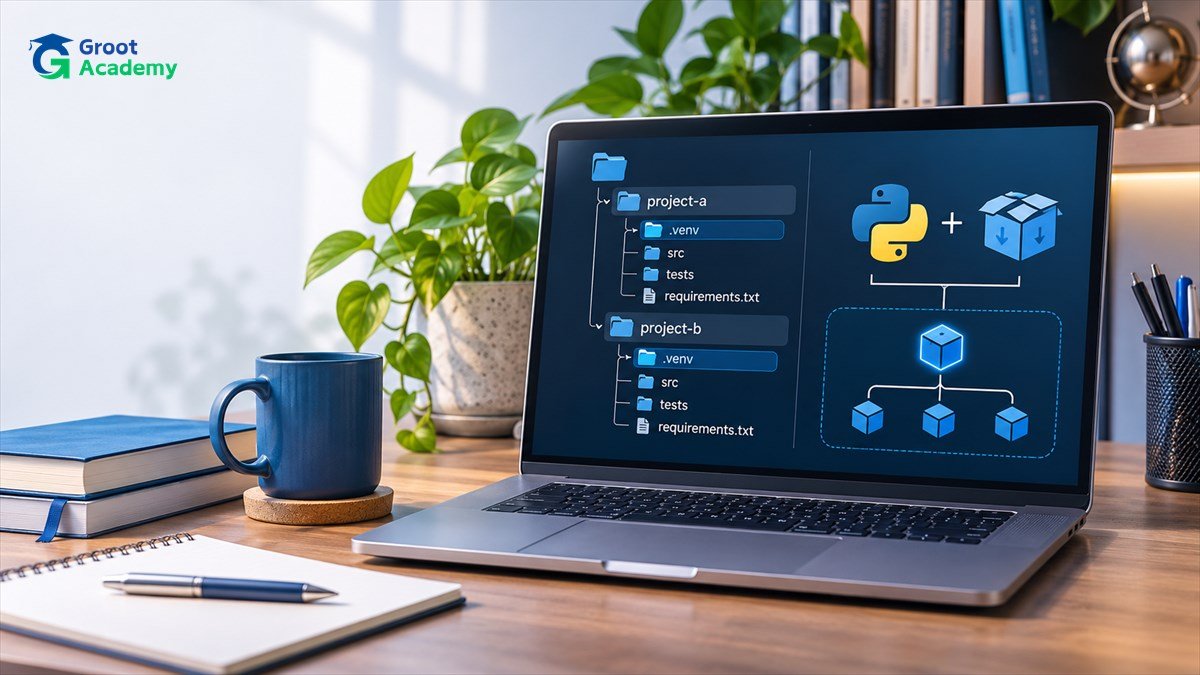
Learn how to isolate Python dependencies, document versions and reproduce a small project on a second computer.
Why this skill matters
Two Python projects can need different library versions. Installing everything into a global environment makes upgrades risky and hides what a project actually requires.
Start by defining a small outcome you can verify. Record the input, intended output, actual output and what you would change for another version. That creates stronger learning evidence than simply listing tools on a profile.
Practical learning steps
- Exercise 1. Create a project folder and run `python -m venv .venv`. Activate it using the command appropriate for your shell; activation changes which Python and pip are used in that terminal.
- Exercise 2. Run `python -m pip --version` and verify that it points to the selected environment. Install only libraries the project uses, then run `python -m pip freeze` to inspect exact installed versions.
- Exercise 3. Create a small script that reads a CSV and reports a row count. Keep the CSV fictional, document setup commands in a README and run the script twice to confirm consistent behaviour.
Common mistakes and quality checks
Do not commit the .venv directory or credentials. A freeze file can include dependencies unrelated to your actual app, so review it and consider a deliberately maintained requirements file. Recreate the environment on a second machine to test reproducibility.
Keep a separate test checklist, including empty inputs, invalid data, the ordinary case and any special case specific to this project. Document platform or library versions if the result depends on them.
How to continue learning
Write a concise README containing the objective, setup requirements, sample data, validation steps and unresolved limitations. Use only fictional or authorized information in publicly shared work.
Continue with the related Groot Academy learning guide, explore the course directory, or return to all career and technology articles.
Frequently asked questions
Do I need prior professional experience?
No professional experience is assumed for this introductory exercise. Review its prerequisite skills and build the smallest version first.
What should I include in a portfolio?
Include the problem, reproducible steps, relevant tests and an explanation of trade-offs. Avoid unsupported performance or employment claims.
Build skills through hands-on practice
Explore course outlines and choose a learning path that matches your prerequisites.
View courses