


Flutter App Development Course in Jaipur
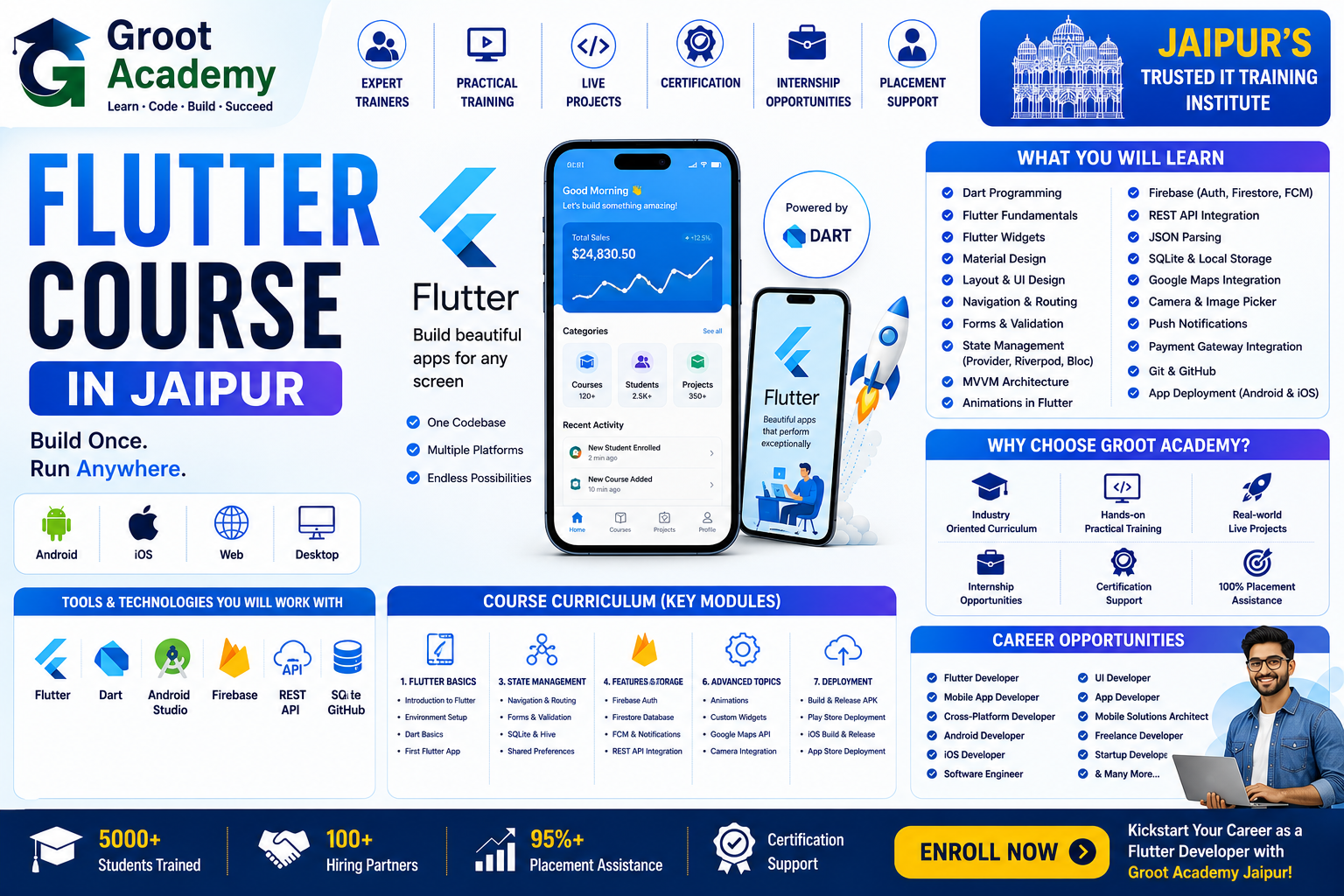
Create cross-platform mobile interfaces with Flutter and Dart, from reusable widgets and navigation to state, API-connected screens and project delivery.
- Practical learning
- Project practice
- Jaipur
Flutter App Development
Build your foundation in Flutter App Development
Create cross-platform mobile interfaces with Flutter and Dart, from reusable widgets and navigation to state, API-connected screens and project delivery.
Learn Dart programming and Flutter widgets, then build responsive screens with navigation, forms and state management. Practise Provider, Riverpod and Bloc concepts alongside API-connected workflows.
Connect applications to REST APIs, local databases and Firebase authentication and storage. Develop a practical app project, test and debug its behaviour, and review Android release builds and Google Play publishing basics.
Who can join?
Beginners, students, graduates and professionals learning mobile application development Learners starting with Dart before moving into Flutter Students choosing between Flutter and React Native Portfolio-focused mobile-development learners
Skills and tools
Course curriculum
Explore the published learning outline below. Confirm the detailed syllabus and module coverage for your chosen batch with the course team.
Introduction to Flutter
- Introduction to Flutter
- Features and Advantages of Flutter
- Flutter vs Native App Development
- Understanding Dart and Flutter
- Installing Flutter SDK
- Setting Up Android Studio and VS Code
- Creating Your First Flutter Project
- Understanding Flutter Project Structure
Dart Programming Fundamentals
- Introduction to Dart
- Variables and Data Types
- Type Inference
- Operators
- Input and Output
- Type Conversion
- Strings and String Interpolation
- Comments and Code Formatting
- Dart Coding Best Practices
Control Flow and Functions
- Conditional Statements
- if and else Statements
- switch Statements
- for Loops
- while and do-while Loops
- Break and Continue
- Introduction to Functions
- Function Parameters and Return Values
- Named and Optional Parameters
- Arrow Functions and Anonymous Functions
Object-Oriented Programming in Dart
- Classes and Objects
- Constructors
- Named Constructors
- Properties and Methods
- Getters and Setters
- Inheritance
- Method Overriding
- Abstract Classes
- Interfaces and Mixins
- Encapsulation and Polymorphism
Dart Collections and Advanced Concepts
- Lists
- Sets
- Maps
- Mutable Collection Operations
- Iteration and Collection Methods
- Lambda Expressions
- Higher-Order Functions
- Generics
- Null Safety
- Futures and Async Programming
Flutter Widgets Fundamentals
- Introduction to Flutter Widgets
- Stateless Widgets
- Stateful Widgets
- Widget Lifecycle
- BuildContext
- Widget Tree
- Container and SizedBox
- Text and RichText
- Images and Icons
- Buttons and User Interaction
Flutter Layouts and UI Design
- Row and Column
- Stack and Positioned
- Expanded and Flexible
- Padding and Margin
- Alignment and Center
- ListView
- GridView
- SingleChildScrollView
- Responsive UI Design
- Building Professional App Screens
Navigation and Routing
- Introduction to Navigation
- Navigator Push and Pop
- Passing Data Between Screens
- Named Routes
- Route Arguments
- Nested Navigation
- Bottom Navigation Bar
- Drawer Navigation
- Deep Linking Basics
- Navigation Project
Forms and User Input
- Introduction to Forms
- TextField and TextFormField
- Form Validation
- Input Controllers
- Dropdown Buttons
- Checkboxes and Radio Buttons
- Switch Widgets
- Date and Time Pickers
- Handling User Input
- Form-Based Application
State Management
- Introduction to State Management
- setState
- InheritedWidget Concepts
- Provider State Management
- ChangeNotifier
- Consumer and Selector
- Riverpod Introduction
- Bloc and Cubit Concepts
- Choosing the Right State Management Solution
- State Management Project
APIs and Networking
- Introduction to REST APIs
- HTTP Package
- GET Requests
- POST Requests
- PUT and DELETE Requests
- JSON Data Parsing
- Model Classes
- Error Handling
- Loading and Empty States
- API-Based Flutter Application
Database and Local Storage
- Introduction to Local Storage
- SharedPreferences
- Secure Storage Basics
- SQLite Database
- sqflite Package
- CRUD Operations
- Hive Database Introduction
- Data Persistence
- Database Error Handling
- Local Database Project
Firebase Integration
- Introduction to Firebase
- Firebase Project Setup
- Firebase Authentication
- User Registration and Login
- Cloud Firestore
- Firebase Realtime Database
- Firebase Storage
- Push Notifications with Firebase
- Firebase Security Basics
- Firebase Application Project
Advanced Flutter Development
- Animations in Flutter
- Hero Animations
- Implicit and Explicit Animations
- Custom Painters Basics
- Platform-Specific Features
- Camera and Device Features
- Permissions Handling
- Background Tasks Basics
- Performance Optimization
- Debugging and Testing
Live Projects and Deployment
- Flutter App Project Planning
- UI and Feature Development
- State Management Integration
- REST API Integration
- Database Integration
- Firebase Authentication
- Testing and Debugging
- App Performance Optimization
- Preparing Android Release Build
- Google Play Store Publishing Basics
- Final Flutter Live Project
Project practice ideas
Use these examples to discuss suitable practice work with your trainer.
Navigation project
Use this as a practical project brief to plan, build, test and document your work.
Form-based application
Use this as a practical project brief to plan, build, test and document your work.
State-management project
Use this as a practical project brief to plan, build, test and document your work.
API-based Flutter application
Use this as a practical project brief to plan, build, test and document your work.
Local database project
Use this as a practical project brief to plan, build, test and document your work.
Firebase application project
Use this as a practical project brief to plan, build, test and document your work.
Final Flutter live project
Use this as a practical project brief to plan, build, test and document your work.
Frequently asked questions
What language does Flutter use?
Flutter uses Dart. The course path begins with the Dart concepts needed to understand widgets, state and application structure.
Is Flutter a native Android-only path?
Flutter is commonly used to build applications for more than one platform from a shared codebase. Compare it with Android/Kotlin for native Android work and React Native for a JavaScript-based cross-platform path.
Does the course cover databases and Firebase?
Yes. The curriculum includes SharedPreferences, secure storage basics, SQLite and Hive, followed by Firebase authentication, Cloud Firestore, Realtime Database, storage and push notifications.
Will I learn API integration?
Yes. The outline includes HTTP, JSON, API-connected screens and handling common data states in a Flutter application.
Does the curriculum include Firebase and local storage?
Yes. The reviewed syllabus includes SQLite, Hive and local persistence as well as Firebase setup, authentication, cloud data services and Storage.
Will I prepare an Android release build?
The final project section includes Android release-build preparation and Google Play Store publishing basics.
Who is this course for?
Beginners, students, graduates and professionals learning mobile application development Learners starting with Dart before moving into Flutter Students choosing between Flutter and React Native Portfolio-focused mobile-development learners
How can I confirm fees, duration and batch timings?
Contact Groot Academy for the current syllabus, fees, duration and available learning modes before enrolling. These details depend on the selected course and batch.
Ready to discuss Flutter App Development?
Ask the course team about syllabus coverage, current batch timings, fees, duration and learning modes before you decide.